Multicolumn Layouts
15th February 2006 · Last updated: 5th October 2016
Firefox now supports multicolumn layouts using CSS. The beauty is that it allows text to flow dynamically between any number of columns, just like a newspaper. Designers have long wished for such a feature. But I found out recently that it's already been possible for many years! Not as part of CSS, but HTML. Incredibly, the browser that can handle this advanced feature is none other than... Netscape 3! I kid you not. I was looking through an old issue of .net magazine, dated November 1996, when I saw the following comment about the latest features in this browser:
"Three major new tags:
<MULTICOL>,<SPACER>and<FONT>. MULTICOL flows the text into columns, attempting to make them all about the same height, and SPACER enables Web authors to control the size of gaps between paragraphs, images and so on. SPACER should facilitate some more elegant layouts, but MULTICOL may be a mixed blessing. It makes sense on short pages, but we don't fancy scrolling all the way to the bottom of a long page and then starting again at the top."
To use multicolumns, simply wrap some text in a <multicol> tag and you're done. Netscape will then reformat the text to fit the number of columns you want. The text reflows to take in the width of the browser window. The height is determined by the length of the text, and the number of columns you specify. It works beautifully. Don't believe me? Then take a look at these screenshots, all taken using Netscape 4.8 on Windows XP, with 3 columns specified:
Screenshots
1152 x 864 | 1024 x 934 | 806 x 600 | 646 x 480 | Nested columns!
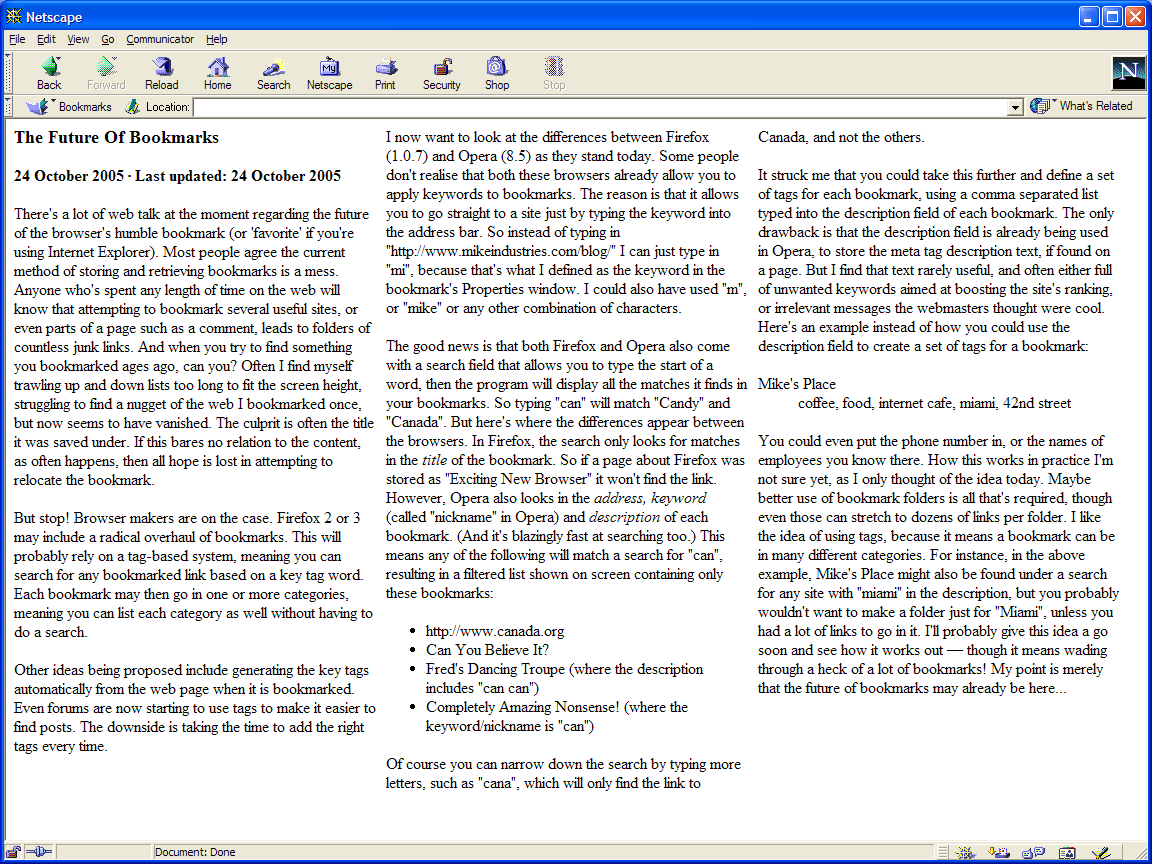
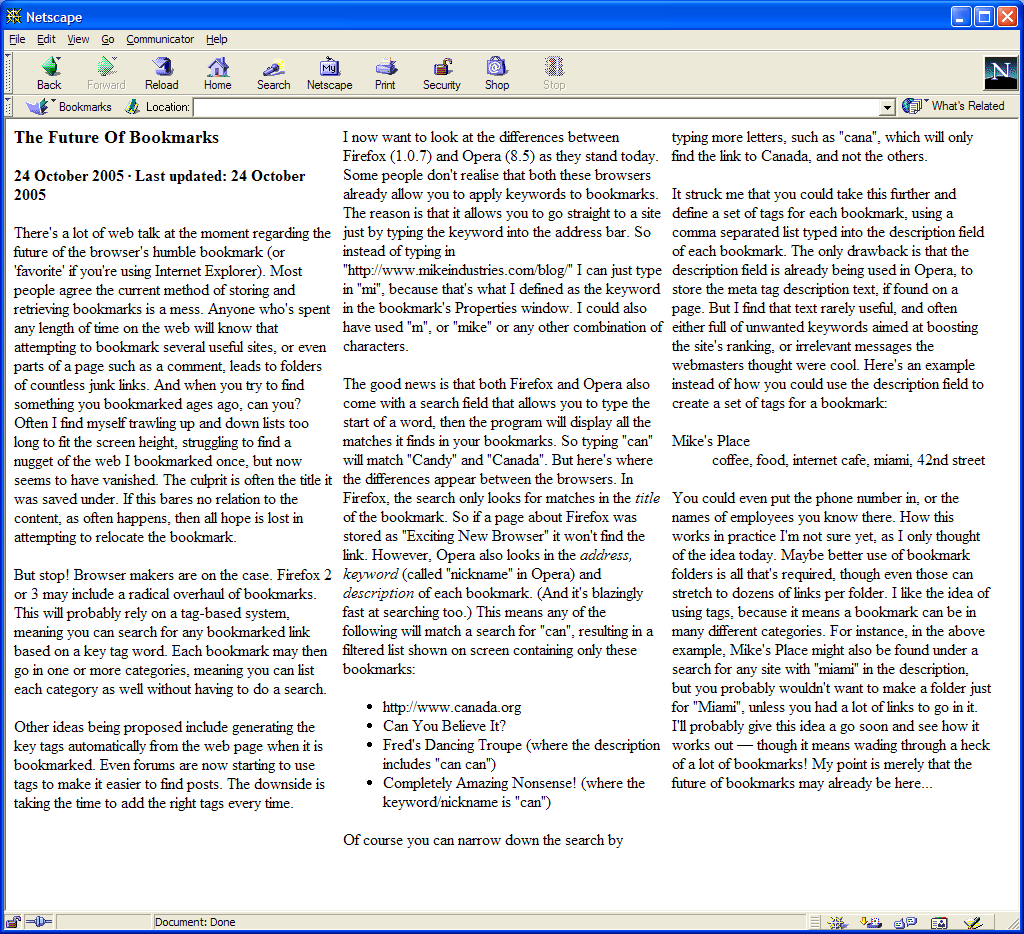
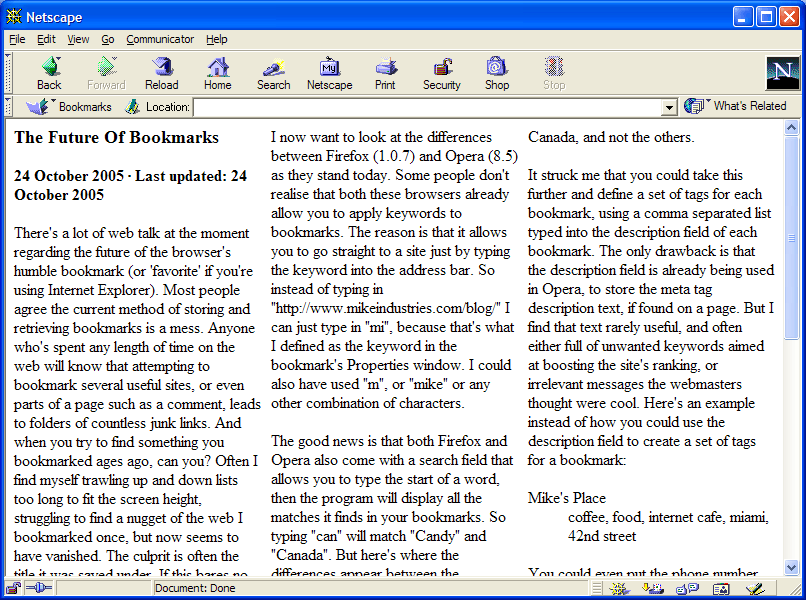
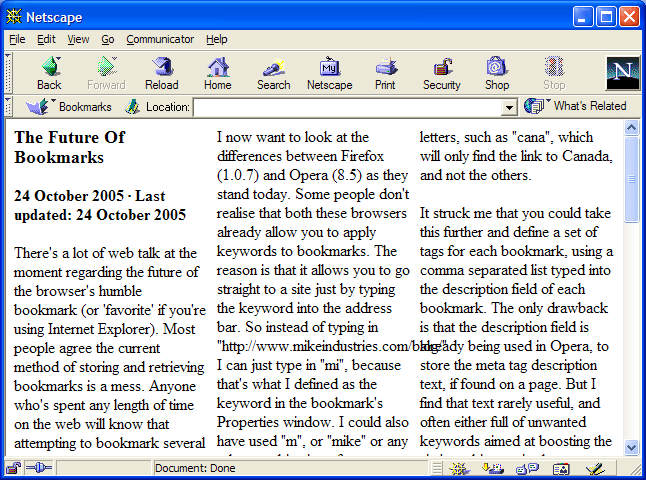
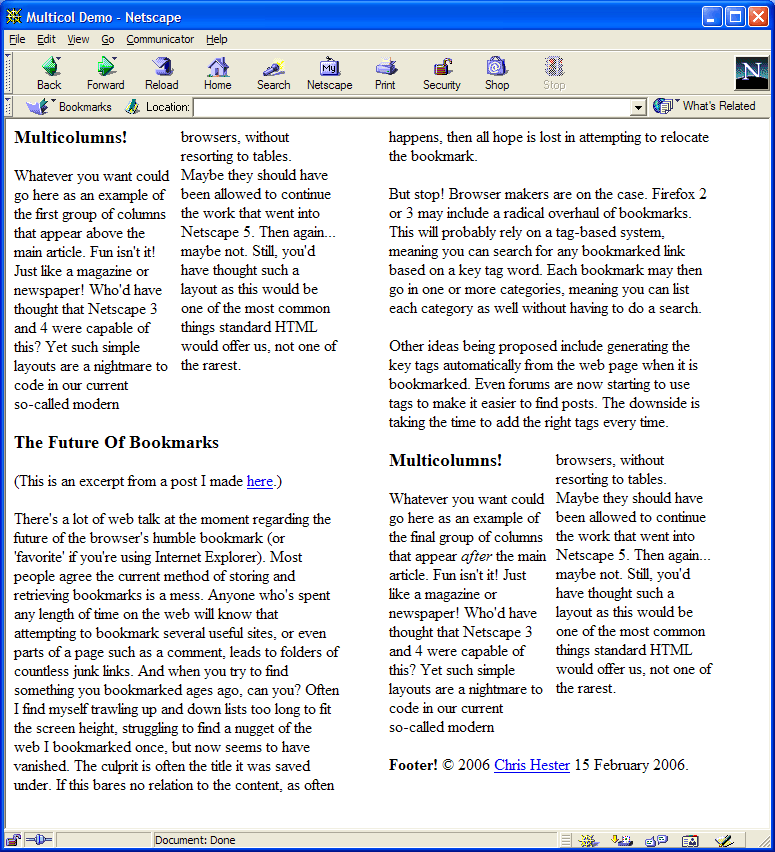
As you can see, the text at the top of the second column is different each time, as the browser recalculates the content to fit the columns.
The last screenshot above shows how you can nest the <multicol> element inside itself, to offer smaller columns that fit around the larger ones. All this in such simple code! Web layouts might have turned out differently if we'd have had this power available to all browsers.
Working Demo
You can try the code yourself in Netscape 3 or 4 if you wish. View the source to see how simple it is.
Notes
You can also specify the size of the gutter between the columns with an attribute, eg: gutter="50". The total width of the columns can also be specified, eg: width="600px". Groovy.
The solution Netscape came up with clearly works. It begs the question why other browser makers didn't pick up on this feature and implement it. Of course a CSS-based approach will offer more flexibility, but it seems a shame that we've been denied a simple cross-browser multicolumn solution for so long.
Drawbacks
- Styling the columns is not easy. I found adding a border (using inline style) destroyed the multicolumn structure.
- Apparently certain elements like
<blockquote>can "lead to odd formatting due to the browser's miscalculation of text lengths within the columns". (Source) - I couldn't find a way to give the columns a background colour.
- Long words such as links can overspill between columns.
- It only works in Netscape 3 and 4!
Another Approach
While reading through early versions of the HTML spec, I also came across another method to produce multicolumns. Originally HTML was planned to include two more types of lists beside the standard ones we use today. These were DIR and MENU. The HTML 3.2 spec has this to say:
These elements have been part of HTML from the early days. They are intended for unordered lists similar to
ULelements. User agents are recommended to renderDIRelements as multicolumn directory lists, andMENUelements as single column menu lists. In practice, Mosaic and most other user agents have ignored this advice and instead renderDIRandMENUin an identical way toULelements.
A multicolumn list is another feature designers like myself have craved for over the years. Instead we've had to cheat by using table cells, or delve into complex floats and CSS to achieve the same result.