Mac Tips

19th December 2008 · Last updated: 21st December 2008

Comments

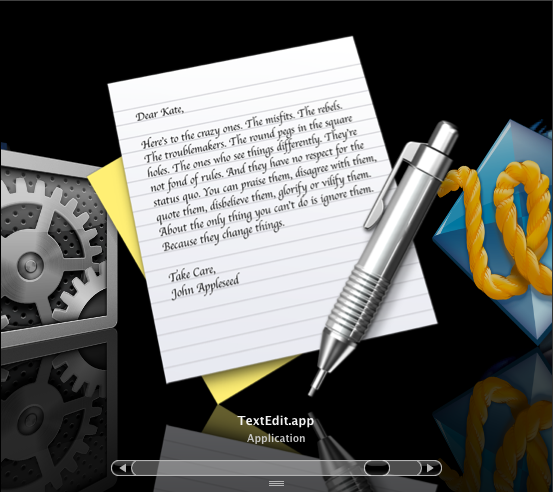
  • View icons in Cover Flow mode to reveal interesting details. The TextEdit icon has a whole letter you can read!
    TextEdit icon in Cover Flow
  • Hold down SHIFT with folders or windows that unfold in an animated way. You can then view the animation in slow motion. Examples include:
    • Press F9 and SHIFT to watch how all your open windows are resized to thumbnails!
    • The same works for F10 and F11!
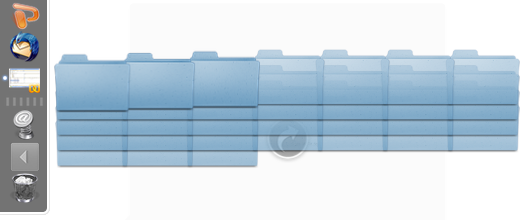
    • Click on the Documents folder on the Dock. Normally it zooms into view very quickly. Now watch how it slowly unfolds instead. Magic!
      Documents animation frozen
    • Try hiding and unhiding windows!
    • Try moving folders up or down in the sidebar in Finder.
    • Open Word 2008 and show the Toolbox. Click on the arrow in the top corner to get to the options and watch as the window flips over slowly.
  • Tired of the way Finder mixes folders and files in a list? Prefer the way Windows lists folders first then files? Simply add a space to the folder names. They look similar but now Finder moves them to the top.
  • From The Unofficial Apple Weblog: Terminal Tips: Enable "path view" in Finder. This lets you "see the directory path to the current folder you are browsing in the title bar". I didn't know about the tip listed in the comments to show the path bar at the bottom in Finder too. ('View, Show Path Bar'.)
  • Double-click on the expander icon in Finder to resize columns to fit the longest filename.
    Expander icon

  • Comments (0)

    Useful Info

    EMAIL: www.designdetector.com (replace the 1st dot with "@")

    RSS NEWSFEED: Subscribe to news of fresh posts and site updates. (RSS 2.0 compatible newsreader required.)

    Disclaimer

    Some links on this website lead to information provided by external services not under my control, therefore I am not responsible for the content or accuracy of the linked information.

    All code examples are not guaranteed 100% free from bugs and/or mistakes. Use them at your own risk. I do not take any blame should a problem occur relating to use of code on this site given as an example for your own use. Such code has been tested and found to work for me, but I cannot vouch for other computer systems (existing now, or in the future) which it may be used on, or changes you introduce yourself based on my code.

    This website is © Christopher Hester, except where separate authors are named. No part of this website may be reproduced or re-used in any way without my prior permission, except content added from separate authors (who retain the copyright on their material), examples of code, and any other content I explicity state is free to copy and make use of.

    This page was last updated on 21st December 2008.

    What's New

    Recent Finds


    View previous finds


    Current Reading

    Recently Read